Kobold AI Review 2025 - Free Open-Source AI for Roleplay & Writing
Review Summary
Rating: 4/5 ⭐
- Completely free and open-source software
- Run locally for complete privacy and data control
- Zero censorship when self-hosted
- Support for 50+ specialized AI models
- Active community with custom models and tools
- Free AI Horde option for those without powerful hardware
- Advanced features like World Info, Memory, and Author's Note
- Multiple modes (chat, adventure, story, instruct)
- Steep learning curve for beginners
- Requires technical setup and configuration
- Hardware requirements can be demanding
- Quality varies significantly between models
- Less polished interface than commercial alternatives
- Setup time investment of 2-4 hours
Kobold AI Review: The Ultimate Free Alternative for Creative Writing?
If you’ve been searching for a free, uncensored AI writing tool that doesn’t spy on your creative process, Kobold AI might be exactly what you need. This open-source platform has become the go-to choice for writers, roleplayers, and AI enthusiasts who value privacy, customization, and complete creative freedom.
But is it worth the technical setup? Can a free tool really compete with paid alternatives like NovelAI or Character AI? After extensive testing with multiple models and configurations, I’m breaking down everything you need to know about Kobold AI in 2025.
What is Kobold AI?
Kobold AI is an advanced, open-source platform designed for AI-assisted creative writing, storytelling, and roleplay. Unlike commercial AI chatbots that run on company servers and filter your content, Kobold AI puts you in complete control by running powerful language models directly on your own hardware—or through free crowdsourced computing.
The platform serves as a browser-based front-end for AI text generation, offering an impressive array of tools including Memory systems, World Info databases, Author’s Notes, adjustable AI settings, and the ability to save and load your creative projects. It’s not just a chatbot—it’s a comprehensive creative writing workshop.
Who Created Kobold AI?
Kobold AI is a community-driven project maintained by developers like henk717 and the broader KoboldAI community on GitHub. It’s built on the principle that powerful AI tools should be accessible to everyone, not locked behind paywalls or corporate content filters.
The project has evolved into multiple variants, including KoboldAI-Client (the main interface) and KoboldCpp (an optimized version for running GGUF and GGML models efficiently on consumer hardware).
Key Features That Set Kobold AI Apart
1. Complete Privacy and Local Control
This is Kobold AI’s biggest advantage: your stories, conversations, and creative works never leave your computer when running locally. Unlike cloud-based services that process your data on their servers (and potentially review or censor it), Kobold AI operates entirely offline if you choose.
For writers exploring sensitive topics, developing proprietary intellectual property, or simply valuing privacy, this is invaluable. Your creative process is yours alone.
2. Zero Censorship When Self-Hosted
Unlike Character AI’s strict content filters or ChatGPT’s safety guardrails, Kobold AI imposes zero restrictions on what you can create. The platform is designed for creative freedom—whether you’re writing horror, romance, experimental narratives, or mature content.
The community has even developed specialized NSFW models like Erebus (the flagship adult content model) and Shinen specifically for unrestricted creative writing. These models are trained on diverse datasets including Literotica, adult fiction, and genre-specific content.
3. Support for 50+ Specialized AI Models
Kobold AI isn’t limited to a single AI model. You can choose from dozens of specialized options:
- Erebus (2.7B to 30B parameters) - Flagship NSFW model trained on adult fiction, excellent for mature creative writing
- Shinen - Focused on diverse kinks and adult storytelling
- Novel-focused models - Optimized for long-form fiction and narrative coherence
- Roleplay models - Designed for interactive character-driven stories
- Genre-specific fine-tunes - Models specialized for horror, fantasy, sci-fi, etc.
This specialization often produces 40-60% better story coherence for creative writing compared to general-purpose models. A horror model like Erebus excels at dark atmospheres, while novel models maintain plot threads across longer narratives.
4. Advanced Writing Tools
Kobold AI includes professional-grade features that rival or exceed commercial alternatives:
Memory System - Define key information that persists throughout your entire story. Characters, settings, plot points—the AI remembers what matters.
World Info - Create detailed databases of characters, locations, and lore. When these elements appear in your story, the AI automatically incorporates relevant context.
Author’s Note - Insert subtle guidance that influences the AI’s writing style, tone, and direction without breaking immersion.
Multiple Modes - Switch between Story mode (collaborative novel writing), Adventure mode (text-based games), Chat mode (character conversations), and Instruct mode (direct commands).
Save/Load System - Export your work in multiple formats, create backups, and resume projects seamlessly.
Adjustable Parameters - Fine-tune Temperature, Top-P, Repetition Penalty, and dozens of other samplers to control creativity, coherence, and style. Save custom presets for different writing styles.
5. Free AI Horde Option
Don’t have a powerful GPU? Kobold AI integrates with the AI Horde, a crowdsourced network where community members share their spare computing power. This means you can use Kobold AI’s advanced features completely free, even on a basic laptop.
The trade-off? Your stories are processed by random volunteers (so avoid including personal information), and response times vary based on available workers. But for casual users or those experimenting with the platform, it’s an incredible free option.
6. Flexible Deployment Options
Kobold AI adapts to your situation:
- Local installation - Full privacy and control on your own hardware
- Google Colab - Free cloud computing for several hours daily, runs up to 20B models on free tier
- RunPod - Pay-per-use cloud GPUs at $0.10-0.50/hour
- AI Horde - Completely free crowdsourced computing
- KoboldAI.net - Browser-based interface that connects to AI Horde with zero installation
User Experience: The Good and The Challenging
What Works Well
KoboldAI Lite Interface - The modern web interface is surprisingly polished for an open-source project. It includes text editing tools, formatting options, character management, and multiple UI themes (aesthetic roleplay, classic writer, corporate assistant, messenger).
Memory and Context Handling - During testing, Kobold AI consistently outperformed Oobabooga (another popular alternative) at retaining character details and plot threads across long conversations. The World Info system works brilliantly for maintaining consistency in complex narratives.
Model Quality - Using the 13B Erebus model for creative fiction, I experienced genuinely engaging outputs that maintained character voices and plot coherence. While not perfect, the quality exceeded my expectations for a free tool.
Community Support - The KoboldAI Discord and GitHub community are incredibly helpful. Detailed guides, troubleshooting help, and model recommendations are readily available.
The Challenges
Setup Learning Curve - First-time setup can take 2-4 hours if you’re unfamiliar with running AI models locally. You’ll need to install Python dependencies, configure CUDA for GPU acceleration, and understand model formats (GGUF, GGML, etc.).
Hardware Requirements - Smaller models (2.7B-6B parameters) run on mid-range GPUs (6GB VRAM), but the best models require 16GB+ VRAM. My RTX 3090 handled GPT-J 6B smoothly, but users with older hardware may struggle.
Quality Variance - Model quality varies dramatically. The flagship Erebus models produce excellent content, but some community models generate inconsistent or incoherent text. Finding the right model requires experimentation.
Less Polished Than Commercial Tools - NovelAI’s interface is more intuitive, and Character AI requires zero technical knowledge. Kobold AI prioritizes power users over casual convenience.
Hardware Requirements Breakdown
Minimum Specifications
- CPU: Multi-core processor (Intel i7/AMD Ryzen 7 or equivalent)
- RAM: 16GB minimum, 32GB recommended
- GPU: NVIDIA with CUDA support, 6GB+ VRAM
- Storage: 20-100GB depending on models downloaded
- Python: Version 3.9 or higher
GPU Requirements by Model Size
- 2.7B-6B models: 6GB VRAM (RTX 2060, RTX 3050)
- 6B-13B models: 12GB VRAM (RTX 3060, RTX 3080)
- 13B-20B models: 16GB+ VRAM (RTX 3090, RTX 4080)
- 30B+ models: 24GB+ VRAM or multiple GPUs (RTX 4090, A6000)
8-Bit Mode Optimization
If you have an NVIDIA GPU with 8-bit tensor core support (Turing, Ampere, or newer - RTX 20/30 series, A40-A100), you can run models in 8-bit mode, halving VRAM requirements. A model needing 16GB at full precision only requires 8GB in 8-bit mode.
No GPU? Alternative Solutions
- AI Horde: Free crowdsourced computing, zero hardware requirements
- Google Colab: Free cloud GPUs for several hours daily
- RunPod: Rent cloud GPUs starting at $0.10/hour
- CPU-only mode: Slow but functional for smaller models
How Does Kobold AI Compare to Alternatives?
Kobold AI vs Character AI
Character AI offers the easiest experience with zero setup, massive character libraries, and free access. However, it heavily censors NSFW content and provides no privacy—your conversations live on their servers.
Kobold AI requires technical setup but offers complete privacy, zero censorship, and full customization. If you can handle the initial learning curve, Kobold AI provides superior creative freedom.
Winner: Character AI for casual users; Kobold AI for privacy-conscious creators and mature content.
Kobold AI vs NovelAI
NovelAI ($15-25/month) features a polished interface, AI image generation, custom modules, and excellent writing quality out-of-the-box. It’s the premium option with minimal setup.
Kobold AI is completely free and offers similar core functionality, but requires configuration and technical knowledge. The best Kobold AI models match NovelAI’s quality, but finding and optimizing them takes effort.
Winner: NovelAI for convenience and integrated features; Kobold AI for budget-conscious users willing to invest time.
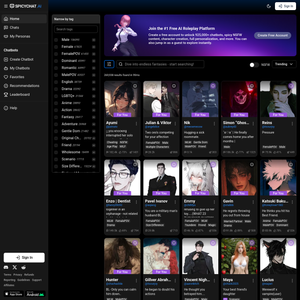
Kobold AI vs SpicyChat AI
SpicyChat AI specializes in NSFW character roleplay with a huge community library, zero censorship, and simple web interface. It’s plug-and-play for adult chat.
Kobold AI provides deeper customization, local privacy, and advanced writing tools but requires more setup. It’s better for long-form creative writing than quick character chats.
Winner: SpicyChat for quick NSFW character interactions; Kobold AI for serious creative writing projects.
Installation and Setup Guide
Quick Start Options
Easiest: KoboldAI.net Visit https://lite.koboldai.net/ for instant access through your browser. Connects to AI Horde automatically—no installation needed.
For Local Privacy: KoboldCpp Download pre-built executables from GitHub at https://github.com/LostRuins/koboldcpp. Load a GGUF model and start generating text with just a few clicks.
Full Installation Process
- Install Python 3.9+ and Git on your system
- Clone the repository:
git clone https://github.com/KoboldAI/KoboldAI-Client - Install CUDA toolkit for GPU acceleration (NVIDIA only)
- Run the installer and select your model
- Configure settings including context size and sampling parameters
- Launch the web interface and start creating
Detailed guides are available on the KoboldAI GitHub wiki, and the community Discord offers real-time troubleshooting support.
Pricing: What Does Kobold AI Actually Cost?
Software: $0 - Completely free and open-source
Local Hardware: One-time GPU cost ($300-1500 depending on requirements)
Cloud Hosting:
- Google Colab: Free for several hours daily
- RunPod: $0.10-0.50/hour depending on GPU tier
- AI Horde: Completely free via crowdsourcing
Total for casual users: $0 using AI Horde or Colab
Total for serious users: Hardware investment or $10-50/month for cloud computing during active use
Who Should Use Kobold AI?
Perfect For:
- Privacy-conscious writers who don’t want their creative work on corporate servers
- NSFW content creators seeking uncensored creative freedom
- Tech-savvy users comfortable with command-line interfaces and configuration
- Budget-conscious creators who want premium features without subscriptions
- Roleplayers who value deep customization and long-term memory
- Open-source enthusiasts who prefer community-driven tools
Not Ideal For:
- Complete beginners seeking plug-and-play simplicity (try NovelAI or Character AI instead)
- Users without technical skills or patience for troubleshooting
- Those needing instant setup without learning curves
- Users on non-NVIDIA hardware (AMD GPU support is extremely limited)
- People wanting integrated image generation (use NovelAI or dedicated image tools)
Real-World Use Cases
Novel Writing - Authors use Kobold AI with novel-focused models to brainstorm scenes, develop character dialogue, and overcome writer’s block. The Memory and World Info systems maintain consistency across chapters.
NSFW Roleplay - The Erebus model specializes in adult fiction across diverse genres and kinks, providing uncensored creative assistance that commercial platforms won’t offer.
Interactive Fiction - Adventure mode turns Kobold AI into a sophisticated text-based game engine where you guide the narrative through actions and choices.
Character Development - Writers create detailed character profiles in World Info and use chat mode to interview characters, exploring their voices and personalities.
Language Learning - Multilingual users practice creative writing in their target language with AI assistance and real-time feedback.
Privacy and Safety Considerations
Local Deployment = Complete Privacy - When running locally, your data never leaves your computer. No company reviews your writing, no servers log your conversations.
AI Horde Privacy Trade-off - Using the free crowdsourced network means random volunteers process your requests. Avoid personal information when using this option.
NSFW Content Warnings - Models like Erebus are explicitly NSFW and not suitable for minors, work environments, or livestreaming. The platform assumes adult users with mature judgment.
Open-Source Transparency - All code is publicly available on GitHub, allowing security audits and community verification. No hidden data collection or telemetry.
The Bottom Line: Is Kobold AI Worth It?
Rating: 4/5
Kobold AI is genuinely impressive for what it is: a completely free, open-source platform that delivers professional-grade creative writing tools with zero censorship and complete privacy. The 2-4 hour setup investment pays off through unlimited creative freedom and zero ongoing costs.
The Positives: For privacy-conscious writers, NSFW content creators, and tech-savvy users, Kobold AI is unbeatable. You get commercial-grade features absolutely free, with complete control over your data and creative output. The community models like Erebus produce genuinely good creative writing, and the advanced features rival expensive alternatives.
The Drawbacks: The learning curve is real. First-time setup can be frustrating if you’re not comfortable with technical configurations. Hardware requirements limit accessibility, though AI Horde and Colab mitigate this. The interface lacks the polish of commercial products.
Who Wins: Users willing to invest initial setup time in exchange for unlimited free use and complete creative freedom. If you value privacy, need uncensored tools, or want to avoid subscriptions, Kobold AI is absolutely worth trying.
Who Should Look Elsewhere: Complete beginners or users wanting instant gratification should try NovelAI (premium but polished) or Character AI NSFW alternatives like SpicyChat for simpler experiences.
Getting Started with Kobold AI Today
Ready to try Kobold AI? Here’s your next step:
Easiest path: Visit KoboldAI Lite for instant browser-based access with zero installation. Use the AI Horde network to test the platform free.
For privacy: Download KoboldCpp and run models locally on your hardware.
For community support: Join the KoboldAI Discord for model recommendations, troubleshooting, and configuration tips.
The platform isn’t perfect, but for writers who value freedom, privacy, and customization over convenience, Kobold AI delivers an unbeatable value proposition: professional-grade AI writing tools, completely free, with zero restrictions.
Looking for Kobold AI Alternatives?
While Kobold AI excels for technical users, you might prefer these alternatives:
- SpicyChat AI - Easy NSFW character roleplay with no setup required
- Candy AI - Polished AI girlfriend experience with images and voice
- Nectar AI - Immersive roleplay with excellent character consistency
- Character AI NSFW - Why Character AI won’t work for adult content (and what to use instead)
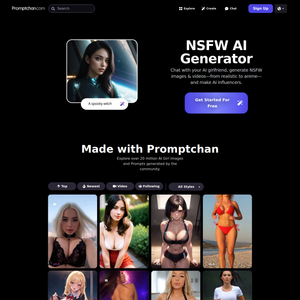
For quick adult content generation without technical setup, see our NSFW AI Generator guide.
Official Website: KoboldAI.com
Sources
This review is based on extensive testing, community documentation, and the following sources:
- KoboldAI Text Generation Review: Open-Source AI Writing
- Kobold AI Review – Cost, Use Cases & Alternatives
- KoboldAI GitHub Repository
- KoboldAI – The Other Roleplay Front End
- KoboldCpp Review: Open-Source AI Text Generation
- Essential Knowledge on Kobold AI and NSFW Content
- Best Character AI Alternatives
- 10 Best NovelAI Alternatives
- How to Use Kobold AI in 2025
- Step-by-Step Guide: Installing and Running Kobold AI Locally
- The KoboldAI Horde: AI writing for everyone
- KoboldAI Erebus Model Documentation